Technology
·
Devices And Physics
·
where your battery actually goes (wake…
Medium
5 min
Your Phone Is Awake When You're Not
Why your battery drains even when you aren't touching your phone
Share
You put your phone down at 80%. You wake up and it's at 43%. You didn't touch it. Nothing happened. Except something absolutely did — dozens of times, every hour, all night.
Your phone is a stack of physical hardware — a battery, a processor, a radio transmitter, a screen — and each one burns real energy measured in milliwatts. Most people think of battery life as something the screen eats. The screen is hungry, sure. But the screen was off all night. So what was running? Three things, mostly: wake locks, polling cycles, and radios. Understanding them changes how you think about every app you've ever installed.
Start with wake locks. When your phone isn't doing anything, the processor drops into a low-power sleep state — almost no current draw, just waiting. An app that wants to keep running in the background has to ask the operating system to hold the processor awake. That request is called a wake lock. A music app holds one while it streams. A navigation app holds one while it tracks your route. A badly written app holds one for no good reason at all, because the developer forgot to release it. One rogue wake lock can cut your battery life in half by keeping the chip at full burn all night.
Make your call
Your phone has been sitting untouched for an hour. Which process do you think is draining the most battery right now?
A
The screen, even though it's off, still draws a small current
B
Apps checking for new data on a regular timer
C
The battery itself slowly losing charge through internal resistance
Polling is the rhythm underneath everything. Your email app doesn't sit passively waiting for a message to arrive — it wakes up every few minutes, asks the server 'anything new?', gets an answer, and goes back to sleep. Your weather app does the same. Your social apps, your calendar sync, your cloud backup — all polling on their own schedules, often overlapping, often more frequently than you'd ever guess. Each wake-up costs a burst of processor time. Multiply that by fifteen apps running on fifteen timers and you have a phone that's technically 'asleep' but waking up dozens of times an hour.
Then there are the radios. Your phone contains at minimum three separate radio transmitters: cellular, Wi-Fi, and Bluetooth. Each one is a physical antenna drawing power to broadcast and receive signals. The cellular radio is the worst offender — it has to maintain a connection to a tower that might be a mile away, and when the signal is weak, it cranks up transmission power to compensate. Walk into a basement with one bar and your battery starts dropping visibly. The phone isn't doing more work in any software sense; the radio is just shouting louder into the void trying to stay connected. Airplane mode kills all three radios at once, which is why it's the nuclear option for battery preservation — not because it stops your apps, but because it silences the hardware underneath them.
Key Insight
The battery isn't being drained by what you see on screen. It's being drained by invisible scheduled work — apps waking the processor on timers, radios maintaining connections to towers and routers, and any app holding a wake lock keeping the chip running when it should be sleeping. The screen is the obvious villain. The real ones are quieter.
Related threads
Technology
·
Your Screen Is Lying to You Beautifully
·
a real-looking photo out of tiny…
Your Screen Is Lying to You Beautifully
Technology
·
How Do You Draw a Wire Thinner Than a Virus?
·
etching wires smaller than a virus…
How Do You Draw a Wire Thinner Than a Virus?
Technology
·
How One Cable Carries a Thousand Conversations
·
one cable, two conversations…
How One Cable Carries a Thousand Conversations
Sources
Images from Wikimedia Commons. Attribution required by license.
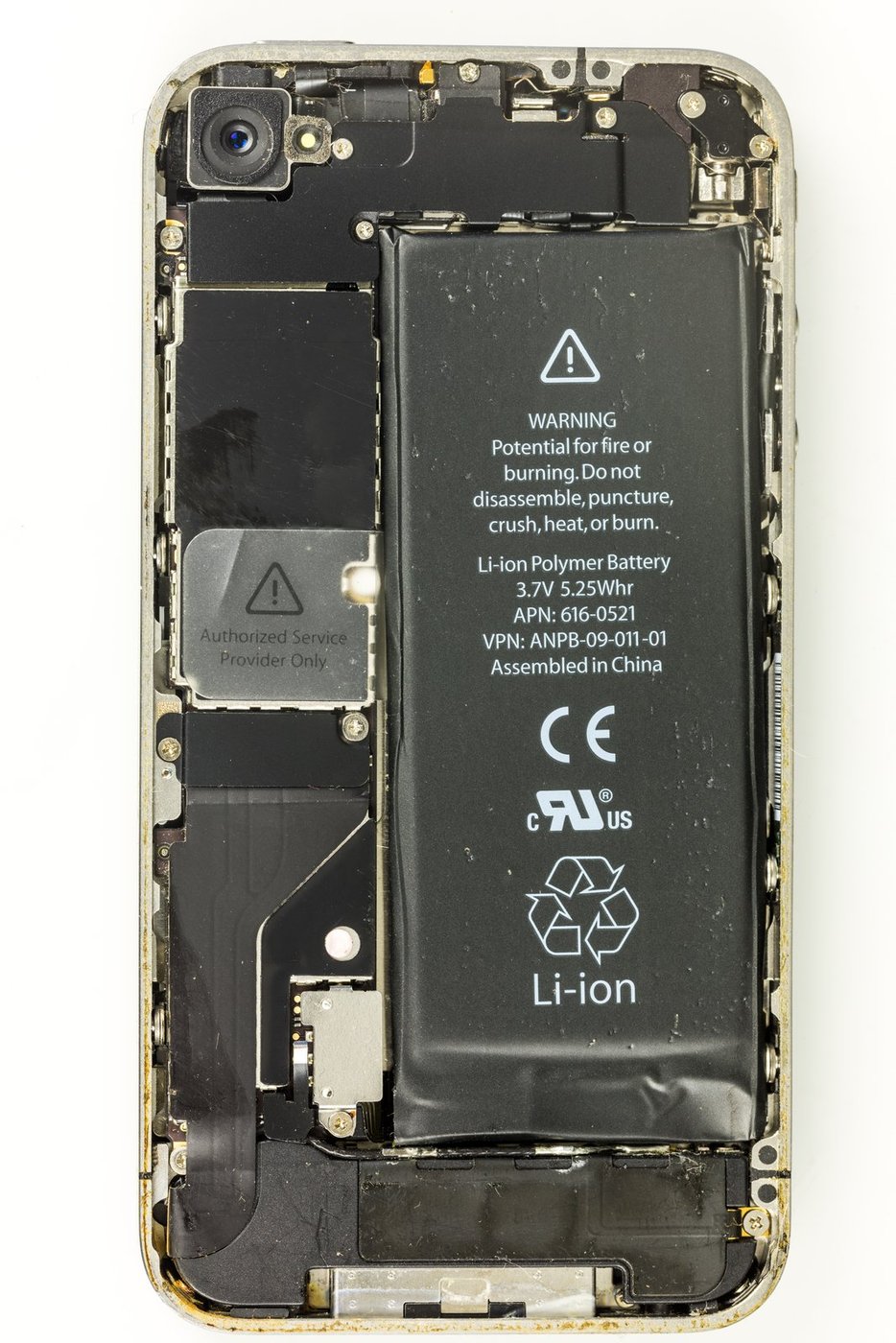
IPhone 4, model A1332 - case opened
Raimond Spekking · CC BY-SA 4.0
smartphone radio antenna signal
Generated by Grok Imagine (xAI), prompt: Generate a single 4:3 horizontal image for an educational lesson.
Lesson title: "Your Phone Is Awake When You're Not" · Why your battery drains even when you aren't touching your phone
Domain: technol…
Quiz yourself